AI receptionist with Google Calendar, Twilio, and Gmail: the real workflow
How a practical AI receptionist stack works behind the scenes: Twilio for calls and SMS, Google Calendar for availability and booking, Gmail for confirmations, and the guardrails that prevent bad bookings.
Most AI receptionist demos show the voice.
That is not the hard part.
The hard part is what happens after the caller says, “Can I come in Tuesday afternoon?”
If the AI cannot check availability, respect booking rules, create the event, send the confirmation, and notify the business, it is just a better voicemail.
This is how a practical stack works with Twilio, Google Calendar, and Gmail.
The stack
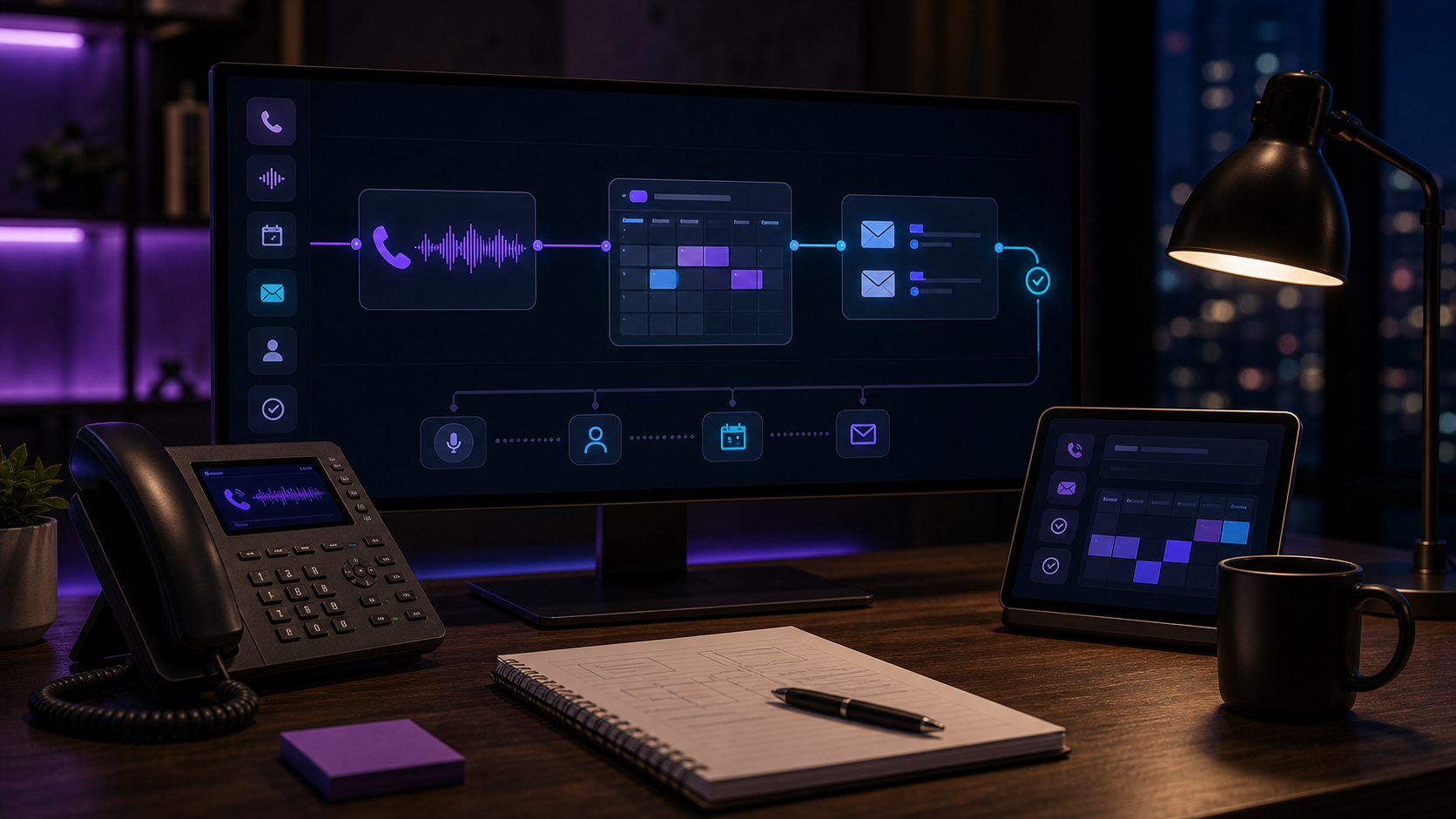
The basic architecture:
- Twilio Programmable Voice receives the business call.
- A voice AI layer handles the conversation.
- Business rules decide whether to answer, book, route, or summarize.
- Google Calendar API checks availability and creates events.
- Twilio SMS sends confirmations or follow-up texts.
- Gmail API sends email confirmations or internal summaries.
- The owner gets a clean handoff.
The caller experiences one conversation. Underneath, it is a routing and scheduling system.
Step 1: inbound call
The caller dials your business number. Twilio receives the call and points it to your application.
Twilio’s Programmable Voice docs describe this pattern: a phone number receives a call, Twilio requests instructions from your app, and your app tells Twilio what to do next.
For an AI receptionist, the app usually connects the call to a real-time voice model or voice-agent service, then keeps track of the conversation state:
- Who is calling?
- What do they need?
- Is this bookable?
- Is this urgent?
- Does the AI need to transfer?
- Does the business need a summary?
This state matters. A good receptionist workflow is not only speech. It is memory during the call.
Step 2: classify the call
Before booking, the AI needs to classify the call.
Examples:
- New appointment
- Reschedule
- Cancel
- Emergency
- Pricing question
- Existing customer issue
- Vendor call
- Spam
Booking should only happen for categories you trust.
For example, a salon haircut or med-spa consult may be safe to book directly. A dental emergency, legal intake, or HVAC gas-smell call should route first.
The AI should not force everything into the calendar. Some calls should become callback tasks.
Step 3: check availability
For Google Calendar, availability usually starts with the FreeBusy API. Google’s Calendar API returns busy windows for one or more calendars over a time range.
The workflow is:
- Caller asks for a time.
- System checks the calendar’s busy windows.
- System applies business rules.
- AI offers valid slots.
Business rules are where most mistakes happen.
Calendar free/busy only tells you whether a calendar is occupied. It does not know your real business constraints unless you encode them:
- Working hours
- Lunch blocks
- Appointment duration
- Buffer time
- Service-specific provider rules
- Location rules
- Same-day cutoff
- Emergency slots
- Staff vacations
- Which calendar is source of truth
If those rules are not defined, the AI can technically book appointments and still create operational mess.
Step 4: create the event
Once the caller confirms, the system can use Google Calendar’s event creation endpoint to insert the appointment.
At minimum, the event should include:
- Caller name
- Phone
- Email if collected
- Appointment type
- Notes from the call
- Source, such as “AI receptionist”
- Any urgency flag
- Confirmation status if applicable
For some businesses, the event is the booking.
For others, the event is only a request. Dental, legal, and home-service businesses often need a staff review queue unless their real scheduling system is integrated.
That distinction should be explicit in the call:
“I can request that time and send it to the team for confirmation.”
Do not let the AI promise a confirmed booking if the backend only creates a tentative request.
Step 5: send confirmation
SMS confirmation usually goes through Twilio Messaging. Email confirmation can go through Gmail API or another email provider.
A good confirmation includes:
- Business name
- Appointment time
- Location or call-back expectation
- What happens next
- Cancellation/reschedule instructions
- Any prep instructions approved by the business
For example:
“You’re requested for Tuesday at 2:30 PM. The office will confirm shortly. Reply here if anything changes.”
If the event is confirmed, say confirmed. If it is pending, say pending.
That one word prevents a lot of angry calls.
Step 6: internal summary
The business needs a summary that is short enough to act on:
“New consult booked. Caller: Maria G. Phone: 555-0177. Interested in Botox consult. Prefers evenings. Booked Tue May 19 at 5:30 PM. Asked about pricing, received approved range language. Source: after-hours AI receptionist.”
For home services:
“Urgent no-cool call. Indoor temp 86, elderly occupant, address captured, no electrical smell reported, accepted emergency rate. Routed to on-call tech.”
That summary can go by email, SMS, Slack, Telegram, CRM note, or whatever the business actually uses.
Guardrails that matter
The guardrails are more important than the voice.
Use these:
No booking without rules. If appointment types and durations are undefined, create requests, not confirmed bookings.
No emergencies into normal calendar. Emergency calls should route or alert before scheduling.
No clinical/legal advice. Medical, dental, and legal workflows need hard boundaries.
No exact pricing unless approved. The AI should use your price language, not invent numbers.
No hidden recordings. If you record calls, handle disclosure and storage properly.
No calendar trust without re-check. Always re-check availability before insert if the conversation took time.
No orphaned event. If event creation succeeds but confirmation fails, staff should be alerted.
When Google Calendar is enough
Google Calendar works well when your scheduling rules are simple:
- Consultation calls
- Discovery calls
- Salon appointments with clean service durations
- Contractor callback windows
- Internal follow-ups
- Basic demos
It is not always enough for dental PMS schedules, field-service dispatch, complex medical scheduling, or multi-provider booking.
In those cases, Google Calendar can still be useful as a holding layer or notification layer, but the source of truth should be the real system.
The deployment I would build
For most small businesses, I would start with:
- Twilio number or call forwarding.
- AI voice receptionist with defined call categories.
- Google Calendar availability for simple bookings.
- Gmail and SMS confirmations.
- Owner/staff summary after every handled call.
- Human review for any uncertain category.
That is enough to turn the phone from voicemail into an operating system.
If you want this built around your calendar and call rules, see the AI Receptionist or send your workflow through the free workflow audit.