
How Law Firms Cut Cloud AI Costs With Local LLMs
Cloud AI bills climb when every scanned page hits a metered API. Here is how routing repetitive legal work to a local LLM cuts that monthly spend.
In this article· 7 sections
A cloud AI invoice for a law firm rarely blows up on the chat assistant. It blows up on documents. Scanned medical records, opposing counsel’s requests for production, hundred-page treatment histories — every page that passes through a metered API gets billed, and a discovery pipeline passes the same page through several times before anything reaches an attorney’s desk.
The fix is usually not “use less AI.” It is routing: send the repetitive, high-volume work to an open-weight model running on hardware the firm owns, and reserve the metered cloud models for the steps that genuinely need them. Done well, the monthly API spend drops while the attorneys keep receiving the same editable Word drafts they review and approve today.
This is how I map that decision when I scope a Private Legal-AI Operating System for a small personal injury, family, or immigration firm.
Where the token bill actually comes from
Cloud models charge per token — roughly, chunks of text going in and text coming out. Four habits of legal work make that meter spin:
- Long inputs. A single set of medical records can run hundreds of pages. Every question you ask about that set re-sends some or all of it as input tokens, even if the answer is one sentence.
- Repeated passes. A discovery pipeline is not one call. Classify the document, extract the text, build the chronology, draft the response, check the draft — each pass pays the meter again on overlapping content.
- Image-heavy pages. Scanned PDFs and faxes often go through vision-capable models or OCR steps that cost more per page than plain text, and personal injury files are full of exactly that.
- Retries and re-sends. A malformed output or a failed extraction gets run again. Nobody budgets for the second and third attempts, but the API counts them.
Put illustrative numbers on it. Say a six-attorney PI firm pushes 30,000 pages a month through a cloud pipeline, and the all-in cloud cost averages one cent per page per pass. Those rates are assumptions for the example, not any vendor’s published price — your own invoice is the only number that matters. One pass costs $300. A four-pass pipeline costs $1,200 a month, and three of those four passes are mechanical: classification, extraction, formatting checks. That is the shape of the waste. The expensive frontier model is doing work a smaller model on your own hardware could do at a fixed cost.
Which legal workloads route well to a local model
Routing is a per-workload decision, not an all-or-nothing switch. Here is the split I use:
| Workload | Where it runs | Why |
|---|---|---|
| OCR cleanup and page classification | Local | High volume, narrow task, tolerant of a smaller model |
| Bates index and stamping verification | Local | Repetitive checking against deterministic rules |
| First-pass medical chronologies | Local | Long inputs, structured output, attorney reviews anyway |
| Deficiency letter and response first drafts | Local | Templated legal structure, exported as .docx for review |
| Hardest reasoning and unusual edge cases | Cloud (hybrid mode) | Frontier models still earn their price on the hard 10% |
| Live bilingual voice receptionist | Cloud | Real-time conversation needs low latency, not batch throughput |
The pattern: anything that is repetitive, high-volume, and reviewed by a human before it leaves the firm is a candidate for local routing. Anything that is rare, genuinely hard, or happening live on a phone call stays where it performs best.
That last row matters for firms running an intake operation. The 24/7 bilingual voice and webchat receptionist in my Intake & Client OS stays on cloud infrastructure because a caller waiting through a two-second pause hangs up; I go deeper into where voice AI holds up and where it does not in do AI receptionists work for law firms and in the multilingual receptionist guide. Cutting API costs should never mean a Spanish-speaking caller gets a worse experience at 9 p.m.
And none of this changes the review rule. Every discovery draft — whether generated locally or in the cloud — exports as an editable Word .docx file for attorney review and approval. The AI does not give legal advice and does not replace licensed attorneys. Routing changes where the compute happens, not who is responsible for the work product.
What the local hardware actually is
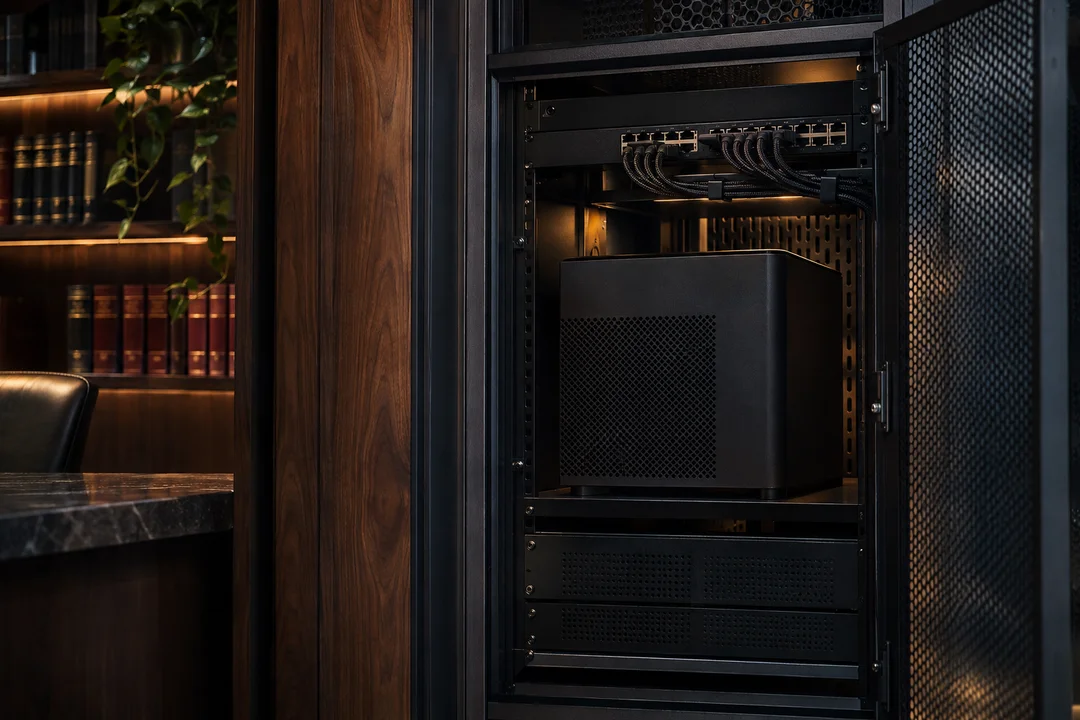
“Run it locally” used to mean a server room and a five-figure GPU card. That changed with desktop-class AI hardware. The unit I deploy is the NVIDIA DGX Spark: per NVIDIA’s official specifications (as of November 2026), it is built on the GB10 Grace Blackwell superchip with up to 128 GB of coherent unified memory, up to 1 petaFLOP of FP4 AI performance, and enough memory to run inference on models up to 200 billion parameters. It is a 150 mm cube weighing 1.2 kg with a 240-watt power supply. It sits on a shelf, not in a data center.
The serving layer is vLLM, an open-source inference library that started at UC Berkeley’s Sky Computing Lab and now supports more than 200 model architectures, including open-weight families like Qwen, Llama, and Gemma. The detail that makes routing practical: vLLM exposes an OpenAI-compatible API server. The pipeline that used to call a cloud endpoint calls the firm’s own box with a changed base URL. Routing is a configuration decision, not a rewrite of the firm’s workflows.
Now the cost structure flips. A cloud API is a variable cost: more pages, more money, forever. The Spark is a fixed cost you already paid, plus electricity. At its full 240-watt supply rating running around the clock, that is about 5.8 kWh a day; at an assumed $0.15 per kWh — plug in your own utility rate — roughly $26 a month, and real workloads idle well below the maximum. Compare that with the illustrative $900 a month of mechanical passes from the example above. The marginal cost of the ten-thousandth page on hardware you own is effectively zero.
Squeeze the cloud bill before you buy anything
I want to be honest about the order of operations, because hardware is not always the answer. Before a firm buys a dedicated unit, there are cheaper levers on the cloud side, and pulling them is part of the monthly optimization I run on every plan:
- Batch the overnight work. OpenAI’s Batch API offers a 50% cost discount compared to synchronous calls, with jobs completing within 24 hours. Nothing in a nightly OCR-and-index run needs an instant answer. If a firm’s pipeline fires synchronous calls at 2 a.m. for work nobody reads until 8 a.m., it is paying double for impatience.
- Right-size the model per step. The classification step does not need the same model as the hardest objection draft. Matching each step to the cheapest model that does it reliably is free savings.
- Stop re-sending whole documents. Chunking, caching, and sending only the pages a step actually needs cuts input tokens on every pass.
For a firm with modest document volume, those three changes alone can shrink the bill enough that dedicated hardware would be premature. I would rather tell a managing partner that than sell a unit that sits idle. Routing to local hardware earns its keep when volume is high, when the bill keeps climbing after the cheap fixes, or when privilege requirements — not cost — drive the decision.
Hybrid local-first vs strict local-only
That third driver deserves its own section, because for some firms the API bill is the secondary reason to go local. If the managing partner’s real concern is privileged client files touching a third-party API at all, cost optimization becomes a happy side effect of a custody decision.
My Private Vault offer runs the firm’s own dedicated DGX Spark in one of two modes and two placements:
- Hosted Dedicated Spark: $5,000 setup plus hardware at cost — zero markup, the firm owns the unit — plus $4,500/mo. I procure, rack, and host the unit, and the firm reaches it over an encrypted Tailscale tunnel. Zero travel fees, and the unit can be shipped on-site anytime.
- On-Site Office Vault: $15,000 white-glove on-site deployment plus travel and hardware at cost, plus $4,500/mo. The firm owns 100% of the hardware, physically inside its own office, installed in person over two days.
Either placement runs in hybrid local-first mode — repetitive OCR and discovery workloads on the firm’s unit, with cloud escalation only for the steps that need it — or strict 100% local-only mode, where no client file leaves the firm’s hardware at all. In strict mode the frontier polish pass disappears, and the attorney’s review becomes the quality gate for everything. For firms handling sensitive immigration or family matters, that trade is often the point. The same custody logic is why I care about broken PDF redactions in discovery: where and how a file is processed is a Rule 1.6 question, not just an IT question.
How routing works inside the Legal OS
Cost routing is not a separate product I bolt on. It is included maintenance on both operating systems:
- The Litigation & Discovery OS at $3,500/mo plus a $5,000 one-time setup includes the Automated Discovery & Bates Engine — incoming and outgoing RFPs and interrogatories, jurisdiction-aware objection and response drafting, custom Bates stamping with test-Bates exclusion and dual indexing, deficiency letters, motions to compel exported in Word, a Shared Case Brain, and a staff AI assistant wired into the firm’s Google Drive and email. Every month I review the firm’s actual API spend and route repetitive OCR and discovery workloads to local models when cloud token costs climb.
- The Intake & Client OS at $2,000/mo plus a $5,000 one-time setup includes the same monthly AI workflow and cost optimization for the intake side: the custom-named bilingual receptionist, the client upload portal with automatic PDF renaming into Drive, eSign retainers, and automated follow-ups.
For scale: a litigation paralegal hire runs $5,000+ a month before benefits, and the discovery OS costs less than that while covering nights and weekends. Letting its API bill quietly grow another four figures a month defeats the comparison. The monthly optimization exists so the operating cost stays predictable.
The architecture underneath does not change with routing. Every firm runs single-tenant: its own isolated container, its own encrypted SQLite database, its own Cloudflare Tunnel. No shared multi-tenant database across firms, no model training on privileged client files, and Google Drive stays the firm’s source of truth — the posture I describe in full on the security page, aligned with ABA Model Rule 1.6. A local model on the firm’s own unit is an extension of that same principle, not a departure from it.
Running the break-even for your firm
The decision comes down to three questions, in order:
- What is the bill actually made of? Get a per-workload breakdown before touching anything. If most of the spend is one hard reasoning step, routing will not save much. If most of it is mechanical passes over scanned pages, it will.
- Have the cheap levers been pulled? Batch pricing, right-sized models, and smaller inputs first. Some firms stop here, and that is a good outcome.
- Is custody a requirement regardless of cost? If privileged files must never reach a third-party API, the hardware decision makes itself, and the token savings are a bonus.
A firm pushing tens of thousands of pages a month through repeated passes is the clearest case for a dedicated unit. A two-attorney shop with a light document load may be better served by batch pricing and discipline — and I will say so. The number to watch is not the sticker price of any plan or unit; it is the firm’s total monthly cost per production, trending down, with attorney review intact on every draft.
If you want to see where the line falls on your own files, send me one redacted set of opposing counsel RFPs or interrogatories plus the client and medical PDFs through the free 24-hour Discovery Pack proof. You get back a Bates-stamped production, draft objections and responses in Word, and a 15-minute live walkthrough within 24 hours — and I will show you which steps in that pack would run on your own hardware and which would stay in the cloud, at $0 and zero commitment.