Twilio Calendar API: None — Google Calendar (2026)
Twilio Calendar API? Twilio has none. Wire Programmable Voice to Google Calendar, book live slots, confirm by SMS. A 5-minute US inbound call is about $0.04.
In this article· 15 sections
- 01How does a Google Calendar Twilio integration work?
- 02Twilio Calendar API costs for an AI receptionist
- 03Google Calendar Google Sheets Twilio integrations
- 04How does an AI receptionist use Google Calendar?
- 05Can Twilio call forwarding trigger the booking workflow?
- 06Step 1: inbound call
- 07Step 2: classify the call
- 08Step 3: check availability
- 09Step 4: create the event
- 10Step 5: send confirmation
- 11Step 6: internal summary
- 12Guardrails that matter
- 13Is Google Calendar enough for an AI receptionist?
- 14The deployment I would build
- 15Sources reviewed
Most AI receptionist demos show the voice.
That is not the hard part.
The hard part is what happens after the caller says, “Can I come in Tuesday afternoon?”
If the AI cannot check availability, respect booking rules, create the event, send the confirmation, and notify the business, it is just a better voicemail.
Short answer: There is no Twilio Calendar API. You connect Twilio Programmable Voice (the phone call) to the Google Calendar API (availability and booking) with a small app in between. That app checks FreeBusy for open slots, creates the event, and fires the SMS and Gmail confirmations. The middle layer is where the AI receptionist — and your booking rules — actually live.
This is how a practical stack works with Twilio, Google Calendar, and Gmail. If you want the answer-first version, the Google Calendar Twilio integration workflow maps the booking and reminder logic directly.
How does a Google Calendar Twilio integration work?
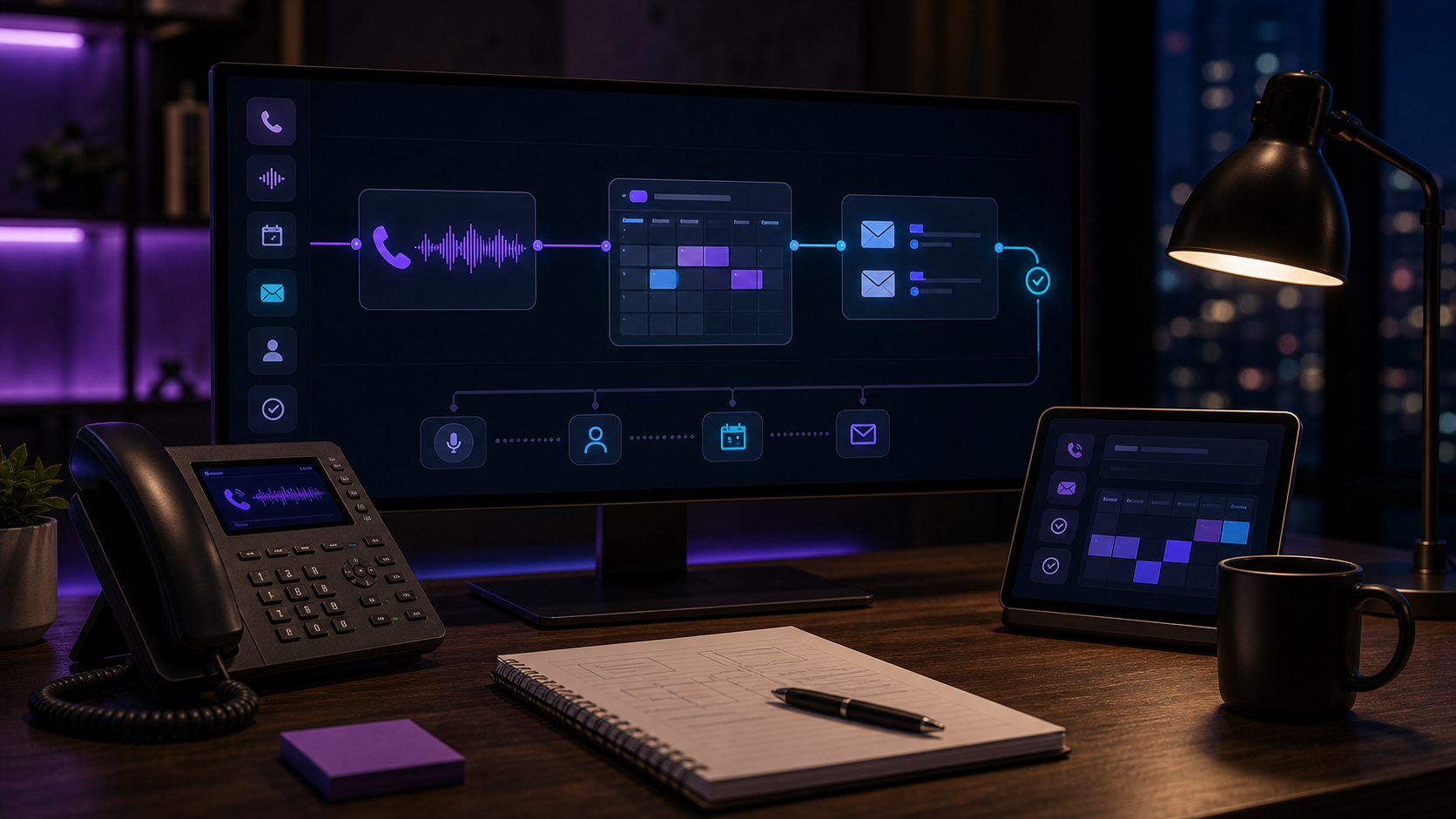
A Google Calendar Twilio integration works by letting Twilio handle the phone call while your application handles scheduling logic. Twilio receives the call, the AI asks what the caller needs, Google Calendar checks availability, and the app creates the event only after your business rules approve the slot.
The basic architecture:
- Twilio Programmable Voice receives the business call.
- A voice AI layer handles the conversation.
- Business rules decide whether to answer, book, route, or summarize.
- Google Calendar API checks availability and creates events.
- Twilio SMS sends confirmations or follow-up texts.
- Gmail API sends email confirmations or internal summaries.
- The owner gets a clean handoff.
The caller experiences one conversation. Underneath, it is a routing and scheduling system.
Twilio Calendar API costs for an AI receptionist
An AI receptionist with calendar integration is four cheap APIs plus one piece of custom logic. The APIs barely cost anything — a five-minute local inbound booking call is $0.0425 of Twilio voice before SMS, carrier fees, and voice-model usage. What you actually pay for is the middle layer: the rules that turn a phone call into a correct booking. Here is who does what and what each piece costs to run, with rates re-checked September 15, 2026:
| Layer | Tool | What it does | Real cost (September 2026) |
|---|---|---|---|
| Phone call | Twilio Programmable Voice | Answers and runs the call | Inbound $0.0085/min, outbound $0.014/min; local number $1.15/mo |
| SMS confirmation | Twilio Messaging | Texts the caller | U.S. long-code SMS $0.0083/segment + carrier fees (~$0.0035–$0.0045) |
| Availability + booking | Google Calendar API | FreeBusy check, then creates the event | No extra charge below 1,000,000 requests/project/day; 10,000 req/min per project on new Cloud projects |
| Email confirmation | Gmail API | Sends confirmation or internal summary | No extra charge below 80,000,000 quota units/day; messages.send costs 100 units |
Run the math on a real call: five minutes of local inbound voice is 5 × $0.0085 = $0.0425, plus one $0.0083 confirmation segment and a carrier fee of about $0.0035–$0.0045 — still roughly a nickel before voice-model usage. According to Twilio’s U.S. Voice rate card and U.S. SMS pricing, as of September 15, 2026, local inbound voice is $0.0085 per minute, a local number is $1.15 per month, outbound to U.S. numbers is $0.0140 per minute, and long-code SMS is $0.0083 per segment before carrier fees. Twilio’s own pricing hub still lists those voice and SMS starting rates as current as of July 2026; the country rate cards I opened today match.
Google’s Calendar API usage limits, last updated September 11, 2026, still say standard use carries no additional charge below 1,000,000 requests per project per day. New Cloud projects (May 1, 2026 onward) are also capped at 10,000 requests per minute per project and 600 per minute per user. Overage billing is planned later in 2026, with at least 90 days’ notice and no published dollar rate yet. That is why I sell the build once instead of a subscription — the running cost belongs to you.
Google Calendar Google Sheets Twilio integrations
Use Google Calendar as the booking engine and Google Sheets as the call log. Twilio still only handles the phone and the SMS. Sheets has no free/busy clock, so if you treat the spreadsheet as availability you will double-book.
Owners type this stack as one phrase because they already live in a sheet. The honest split:
| Piece | Job | Do not use it for |
|---|---|---|
| Twilio | Inbound call + SMS confirmation | Storing appointments |
| Google Calendar | FreeBusy + event create | A dump of every vendor and spam call |
| Google Sheets | One row per call, review queue | Checking whether 2:30 PM is open |
A working row looks like: timestamp, caller name, phone, category, slot offered, confirmed or pending, calendar event ID, staff owner. When event creation fails, the sheet still has the request so nobody is hunting a recording.
If your real schedule lives in Jobber, Housecall Pro, a dental PMS, or another vertical system, that system stays authoritative. The sheet can still log the call. Google Calendar can still hold a callback. Do not pretend a tab owns the chair.
How does an AI receptionist use Google Calendar?
An AI receptionist uses Google Calendar as the availability and booking layer, not as the phone system. Twilio carries the call, the receptionist collects the request, and a small application checks FreeBusy, applies your rules, re-checks the chosen slot, and creates the event.
That distinction matters because “connected to Google Calendar” can mean two very different things. A weak setup only drops a note onto a calendar after the call. A working setup reads live busy windows, filters them through appointment duration and buffer rules, and writes back only after the caller agrees.
For an owner, the minimum reliable loop is simple:
- Read the calendars that actually control availability.
- Offer only slots allowed by the business rules.
- Re-check the chosen slot before writing.
- Create a confirmed event or an explicitly pending request.
- Alert a human if any read, write, or confirmation step fails.
Can Twilio call forwarding trigger the booking workflow?
Yes. Forward missed, after-hours, or overflow calls from your existing business number to a Twilio number, then run the same Google Calendar loop. You do not have to port on day one. Twilio receives the forwarded call, your app answers, FreeBusy runs, and the AI books, requests, or escalates.
I usually start with forwarding because it is reversible. If the voice agent mishandles a category, you flip forwarding off and the front desk is the phone again. The Twilio call forwarding setup covers the carrier-side piece; this page is the calendar piece that should fire after the call lands.
Step 1: inbound call
The call starts in Twilio, not in Google Calendar. A caller dials your business number or gets forwarded from your existing line. Twilio receives the call, sends your application a webhook, and waits for instructions on how to route or connect the conversation.
Twilio’s Programmable Voice docs describe this pattern: a phone number receives a call, Twilio requests instructions from your app, and your app tells Twilio what to do next. Twilio’s TwiML reference says Twilio looks up the URL on the phone number, sends a request, then reads the instructions it gets back.
For an AI receptionist, the app usually connects the call to a real-time voice model or voice-agent service, then keeps track of the conversation state:
- Who is calling?
- What do they need?
- Is this bookable?
- Is this urgent?
- Does the AI need to transfer?
- Does the business need a summary?
This state matters. A good receptionist workflow is not only speech. It is memory during the call.
Step 2: classify the call
The AI should classify the call before it touches the calendar. Booking every caller sounds efficient until emergency calls, cancellations, vendor calls, and pricing questions land in the same flow. Classification decides whether the AI books, routes, summarizes, or creates a callback task.
Examples:
- New appointment
- Reschedule
- Cancel
- Emergency
- Pricing question
- Existing customer issue
- Vendor call
- Spam
Booking should only happen for categories you trust.
For example, a salon haircut or med-spa consult may be safe to book directly. A dental emergency, legal intake, or HVAC gas-smell call should route first.
The AI should not force everything into the calendar. Some calls should become callback tasks.
Step 3: check availability
Availability starts with Google Calendar’s FreeBusy API, then your rules narrow the options. FreeBusy can show when calendars are occupied, but it does not know service duration, drive time, lunch blocks, emergency slots, or whether a certain provider should take that job.
Google’s Calendar API returns busy windows for one or more calendars over a time range — per Google’s current FreeBusy reference, a single query can check up to 50 calendars at once, which is plenty for a multi-provider front desk.
The workflow is:
- Caller asks for a time.
- System checks the calendar’s busy windows.
- System applies business rules.
- AI offers valid slots.
Business rules are where most mistakes happen.
Calendar free/busy only tells you whether a calendar is occupied. It does not know your real business constraints unless you encode them:
- Working hours
- Lunch blocks
- Appointment duration
- Buffer time
- Service-specific provider rules
- Location rules
- Same-day cutoff
- Emergency slots
- Staff vacations
- Which calendar is source of truth
If those rules are not defined, the AI can technically book appointments and still create operational mess.
Do not poll every calendar every second. Google’s quota guide is explicit: polling 5,000 calendars once a minute burns the per-minute cap before any booking happens. Use push notifications for changes, and use truncated exponential backoff on 403/429 usage-limit errors.
Step 4: create the event
Event creation should happen only after the caller confirms and the system re-checks availability. The event needs enough detail for a human to understand the call later: caller, phone, appointment type, urgency, source, notes, and whether the slot is confirmed or pending review.
Once the caller confirms, the system can use Google Calendar’s events.insert endpoint to write the appointment.
At minimum, the event should include:
- Caller name
- Phone
- Email if collected
- Appointment type
- Notes from the call
- Source, such as “AI receptionist”
- Any urgency flag
- Confirmation status if applicable
For some businesses, the event is the booking.
For others, the event is only a request. Dental, legal, and home-service businesses often need a staff review queue unless their real scheduling system is integrated.
That distinction should be explicit in the call:
“I can request that time and send it to the team for confirmation.”
Do not let the AI promise a confirmed booking if the backend only creates a tentative request.
Step 5: send confirmation
The confirmation should match the actual status of the booking. If the event is confirmed, say confirmed. If staff still needs to approve it, say requested or pending. One accurate word prevents angry callbacks and keeps the AI from promising more than the backend delivered.
SMS confirmation usually goes through Twilio Messaging. Email confirmation can go through Gmail API or another email provider.
A good confirmation includes:
- Business name
- Appointment time
- Location or call-back expectation
- What happens next
- Cancellation/reschedule instructions
- Any prep instructions approved by the business
For example:
“You’re requested for Tuesday at 2:30 PM. The office will confirm shortly. Reply here if anything changes.”
If the event is confirmed, say confirmed. If it is pending, say pending.
That one word prevents a lot of angry calls.
Gmail is not “unlimited free email.” According to Google’s Gmail API usage limits, standard API use has no extra charge below 80,000,000 quota units per project per day, and messages.send costs 100 units. Separately, Google Workspace sending limits cap a paid user at 2,000 messages per rolling 24 hours (500 on trial accounts). A receptionist sending one confirmation per call will not hit that. A blast from the same mailbox will.
Step 6: internal summary
The owner needs a short operating note, not a transcript dump. The summary should say who called, what they wanted, what the AI did, what was promised, and whether a human needs to act next. That note can go to Gmail, SMS, Slack, Telegram, or the CRM.
The business needs a summary that is short enough to act on:
“New consult booked. Caller: Maria G. Phone: 555-0177. Interested in Botox consult. Prefers evenings. Booked Tue May 19 at 5:30 PM. Asked about pricing, received approved range language. Source: after-hours AI receptionist.”
For home services:
“Urgent no-cool call. Indoor temp 86, elderly occupant, address captured, no electrical smell reported, accepted emergency rate. Routed to on-call tech.”
That summary can go by email, SMS, Slack, Telegram, CRM note, or whatever the business actually uses.
Guardrails that matter
The guardrails are what make this a receptionist instead of a risky demo. The AI needs hard boundaries around booking rules, emergencies, regulated advice, recording disclosure, price language, and failure handling. Voice quality matters, but operational correctness matters more.
Use these:
No booking without rules. If appointment types and durations are undefined, create requests, not confirmed bookings.
No emergencies into normal calendar. Emergency calls should route or alert before scheduling.
No clinical/legal advice. Medical, dental, and legal workflows need hard boundaries.
No exact pricing unless approved. The AI should use your price language, not invent numbers.
No hidden recordings. If you record calls, handle disclosure and storage properly.
No calendar trust without re-check. Always re-check availability before insert if the conversation took time.
No orphaned event. If event creation succeeds but confirmation fails, staff should be alerted.
Is Google Calendar enough for an AI receptionist?
Google Calendar is enough when the booking rules are simple and the calendar is the real source of truth. It is not enough when appointments live in a dental PMS, field-service dispatch board, medical scheduler, or another system that owns availability and staff assignment.
Google Calendar works well when your scheduling rules are simple:
- Consultation calls
- Discovery calls
- Salon appointments with clean service durations
- Contractor callback windows
- Internal follow-ups
- Basic demos
It is not always enough for dental PMS schedules, field-service dispatch, complex medical scheduling, or multi-provider booking.
In those cases, Google Calendar can still be useful as a holding layer or notification layer, but the source of truth should be the real system.
The deployment I would build
For most owner-operators, I would build the smallest reliable phone-to-calendar loop first. That means Twilio or call forwarding, a defined call taxonomy, Google Calendar for simple bookings, SMS and Gmail confirmations, and a human review path for anything uncertain.
For most small businesses, I would start with:
- Twilio number or call forwarding.
- AI voice receptionist with defined call categories.
- Google Calendar availability for simple bookings.
- Gmail and SMS confirmations.
- Owner/staff summary after every handled call.
- Human review for any uncertain category.
That is enough to turn the phone from voicemail into an operating system.
If you want this built around your calendar and call rules, see the AI Receptionist or send your workflow through the free workflow audit.
Sources reviewed
- Twilio Programmable Voice documentation
- Twilio Programmable Voice pricing (US)
- Twilio SMS pricing (US)
- Twilio TwiML for Programmable Voice
- Google Calendar FreeBusy API
- Google Calendar API usage limits (updated 2026-09-11)
- Google Calendar events.insert
- Gmail API usage limits
- Gmail API sending guide
- Gmail sending limits in Google Workspace
FAQ
Does Twilio have a calendar API? +
No. There is no Twilio Calendar API. Twilio handles the phone side — Programmable Voice for calls and Messaging for SMS. Availability and booking live in Google Calendar: FreeBusy to read open windows, events.insert to write the appointment. Your app sits in the middle and applies your hours, durations, and buffers.
How does a Google Calendar Twilio integration work? +
Twilio receives the call and hands it to a voice AI layer. The app checks Google Calendar FreeBusy, applies your rules, offers only valid slots, then creates the event. Twilio SMS and the Gmail API send confirmations, and you get a short summary. The caller hears one conversation; the calendar is the source of truth.
Google Calendar Google Sheets Twilio integrations — can I use all three? +
Yes, with Sheets as the log, not the booking engine. One row per call: name, phone, category, outcome, plus a review queue for unconfirmed requests. Availability stays in Google Calendar. A spreadsheet has no free/busy concept, so booking from it invites double-books.
How much does an AI receptionist with calendar integration cost? +
My AI Receptionist is $8,000 one-time — you own the deployment — plus your own usage. As of September 15, 2026, a five-minute local inbound Twilio call is $0.0425 at $0.0085/min before SMS, carrier fees, and voice-model usage. Standard Google Calendar API use has no extra charge below 1,000,000 requests per project per day.
Can Twilio call forwarding trigger the booking workflow? +
Yes. Keep your existing business number and forward missed, after-hours, or overflow calls to a Twilio number. Twilio then hits your app, the AI checks Google Calendar, and the workflow books, requests, or escalates. I usually start with forwarding before porting a number.